A macOS menu-bar todo app that renders your list as the desktop wallpaper. Seven templates, natural-language dates, subtasks and repeats, and an Apple Reminders mirror so Siri capture lands on your desktop.
What it’s for, in plain terms
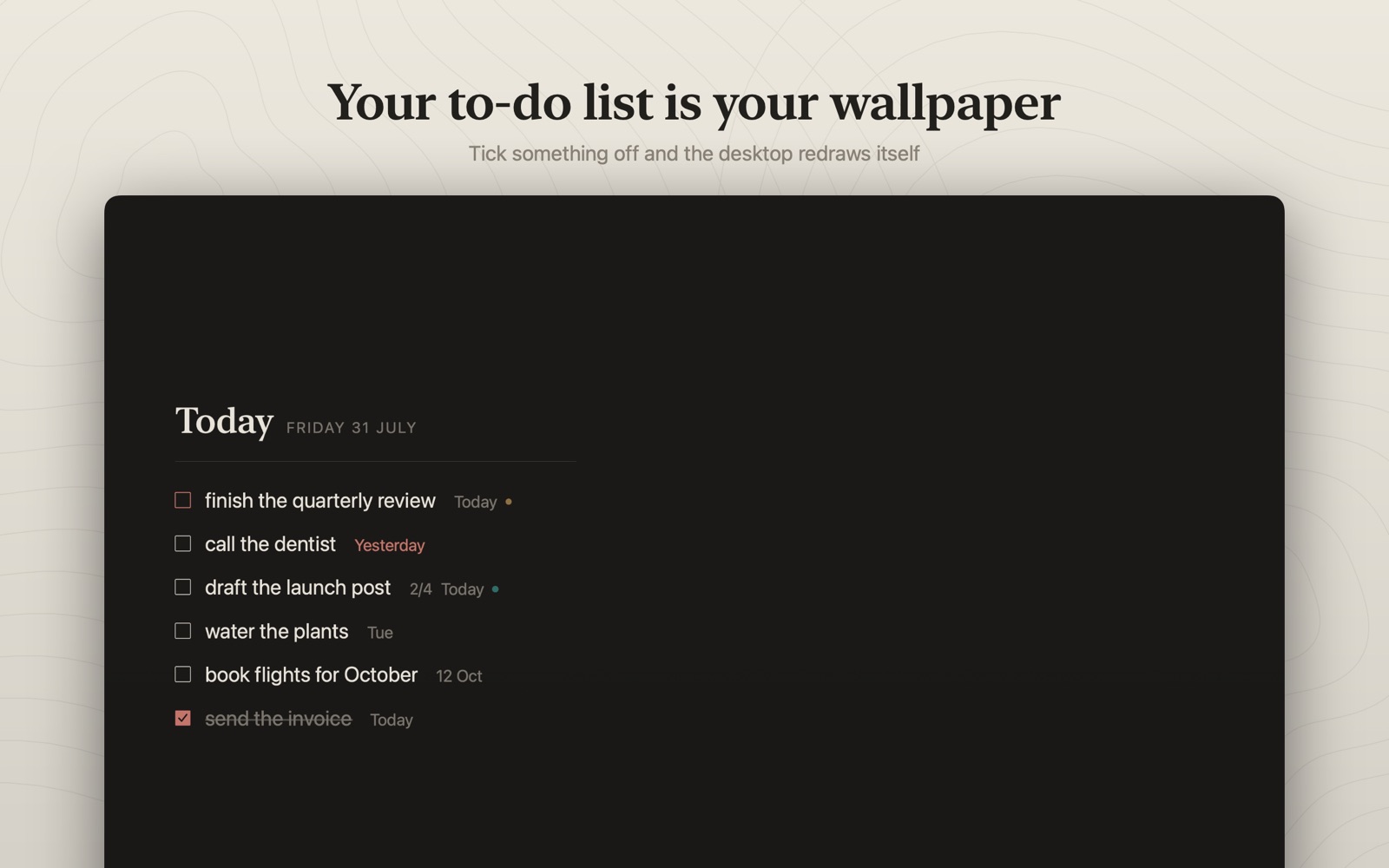
A to-do list only works if you see it. Slate draws today's list straight onto your desktop wallpaper, so it is already in front of you every time you close a window.
Every other to-do app waits behind an icon for you to remember it. Slate has nothing to open: the list is the wallpaper, so quitting your browser is the same thing as checking your tasks.
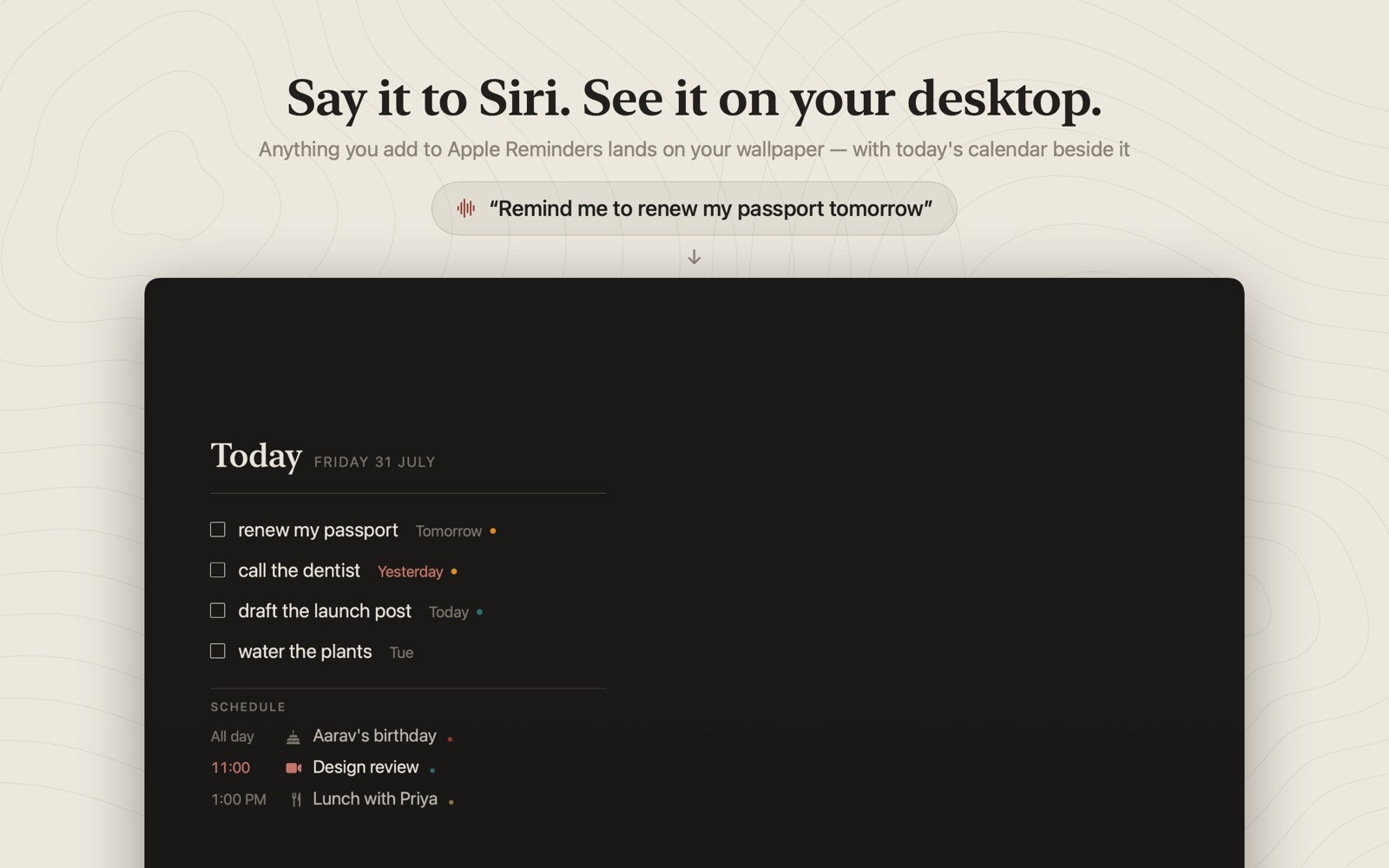
Tell Siri to remind you to send the invoice, on your phone, in the car. Slate mirrors Apple Reminders, so it lands on your Mac's desktop, and ticking it off there clears it on your iPhone too.
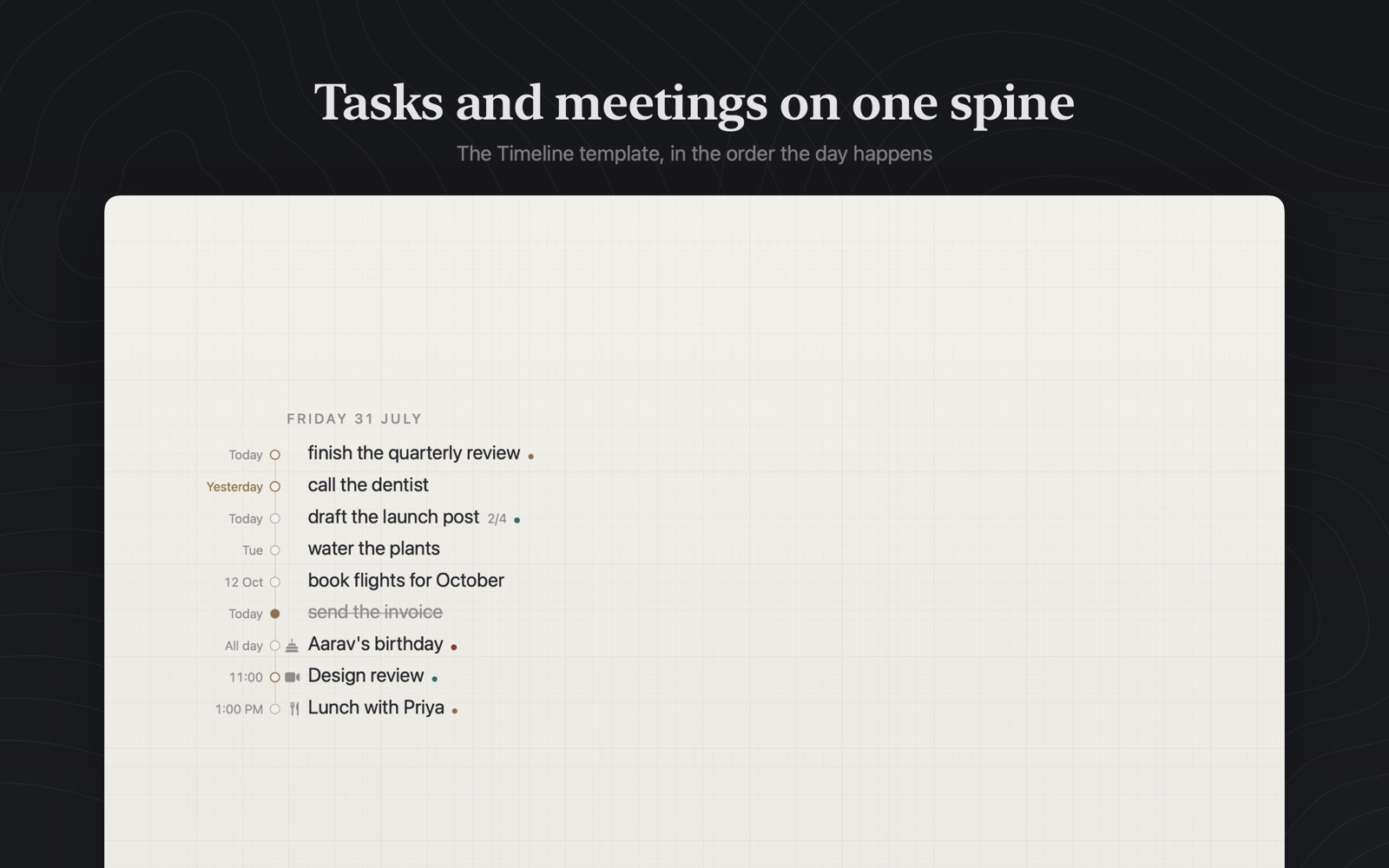
Today's calendar sits next to the tasks, with overdue items emphasised and subtask progress shown. An empty desktop becomes the answer to “what now?”
Seven layouts, from a quiet editorial page to a receipt to a terminal print-out, with palettes and typefaces to match. It can look like a workplace or a notebook, not like a widget bolted onto your screen.
Getting the best out of it
- Turn the Reminders mirror onSettings → Reminders, off by default. This is the switch that connects Siri, your iPhone and your Watch to the wallpaper. Slate only ever writes back two things, whether it's done and when it's due, so nothing else in Reminders can be damaged.
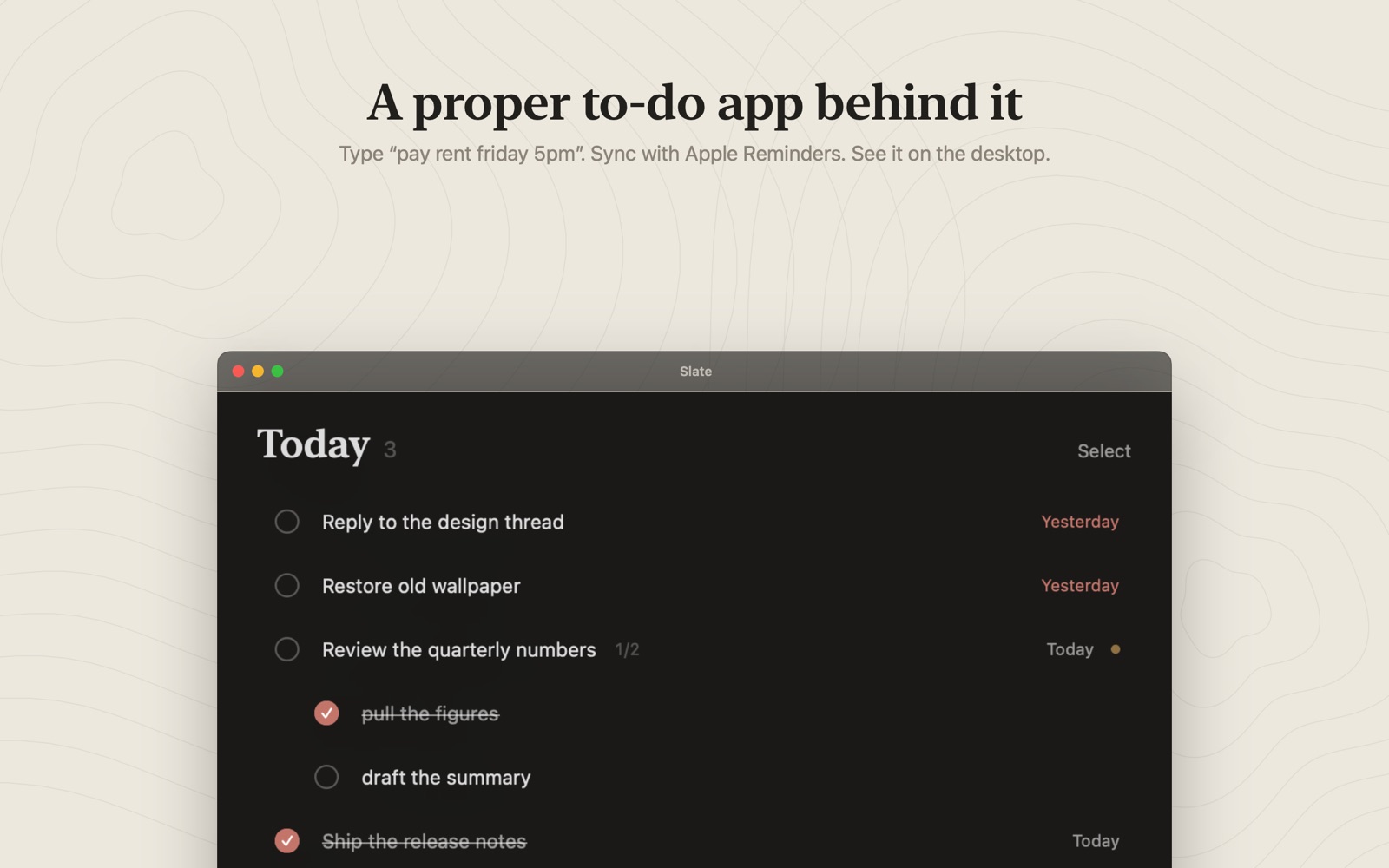
- Type dates the way you'd say them“pay rent friday 5pm #home” becomes a task, a date and a list while you type. You never need to open a date picker.
- Use the two windows for two different jobsThe menu-bar popover is deliberately tiny: today, and one box to add to it. Plan in the full window; capture from the menu bar.
- Pin the three that actually matterA wallpaper has an edge. Pinning keeps the important items above it instead of letting a long list bury them.
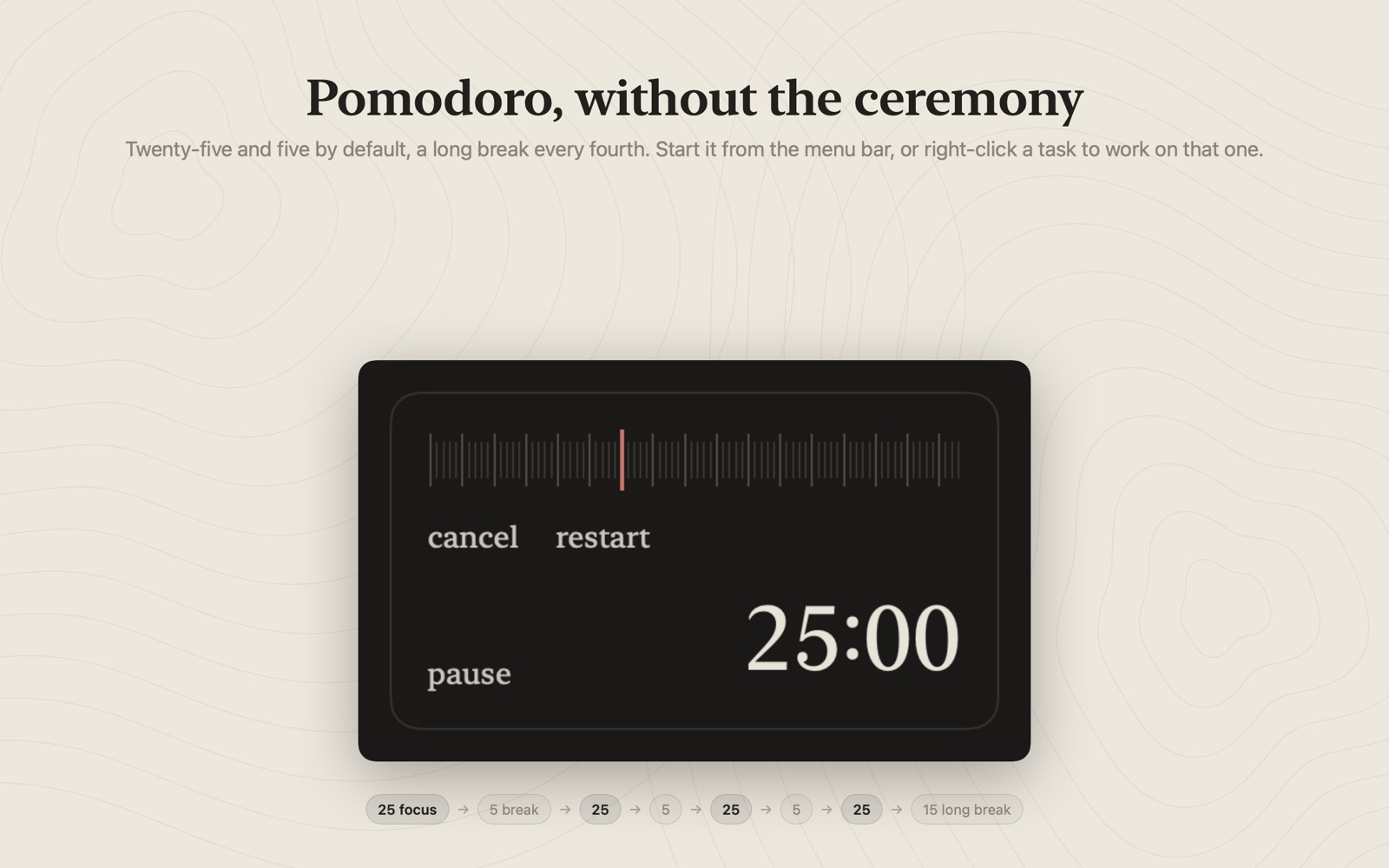
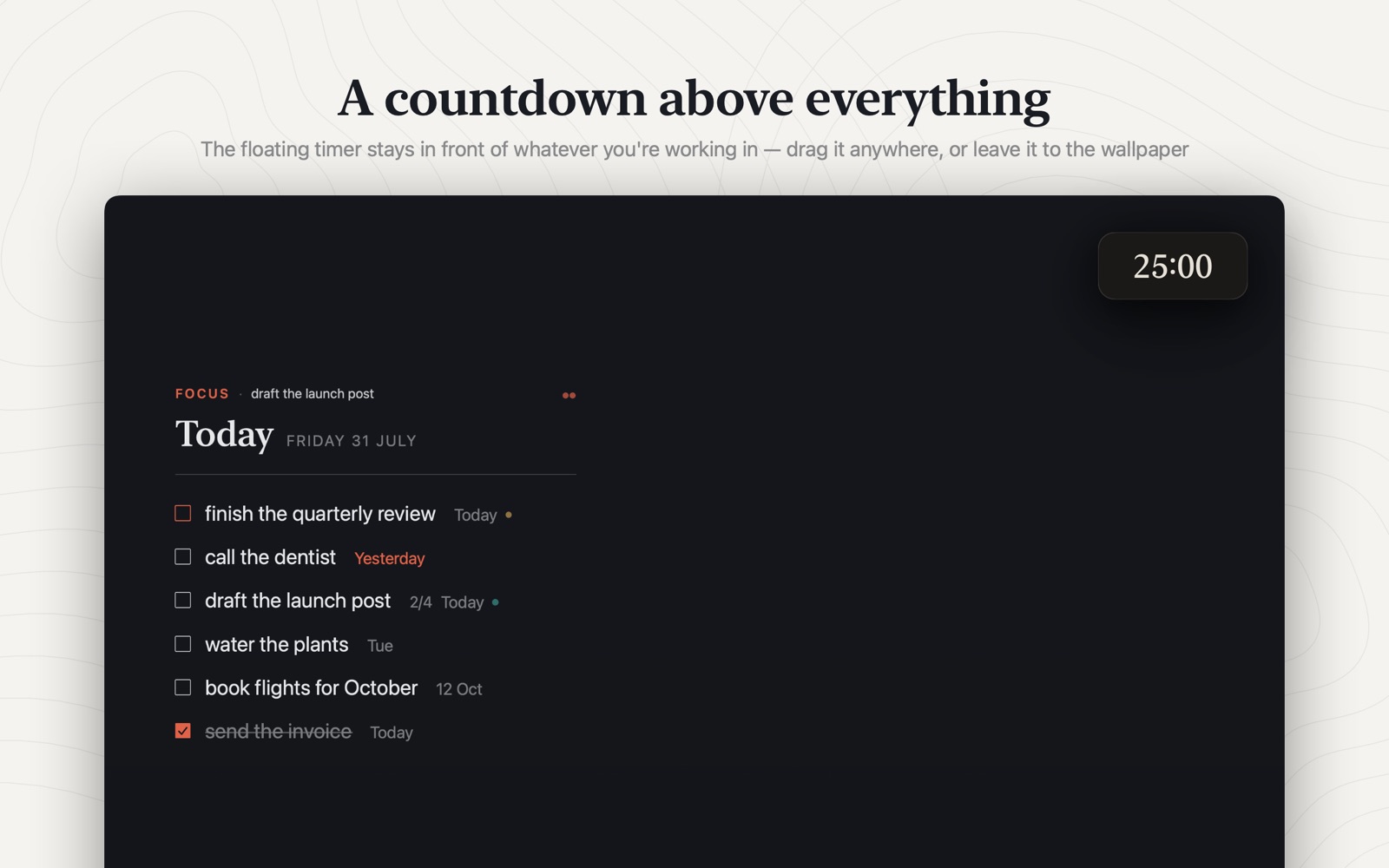
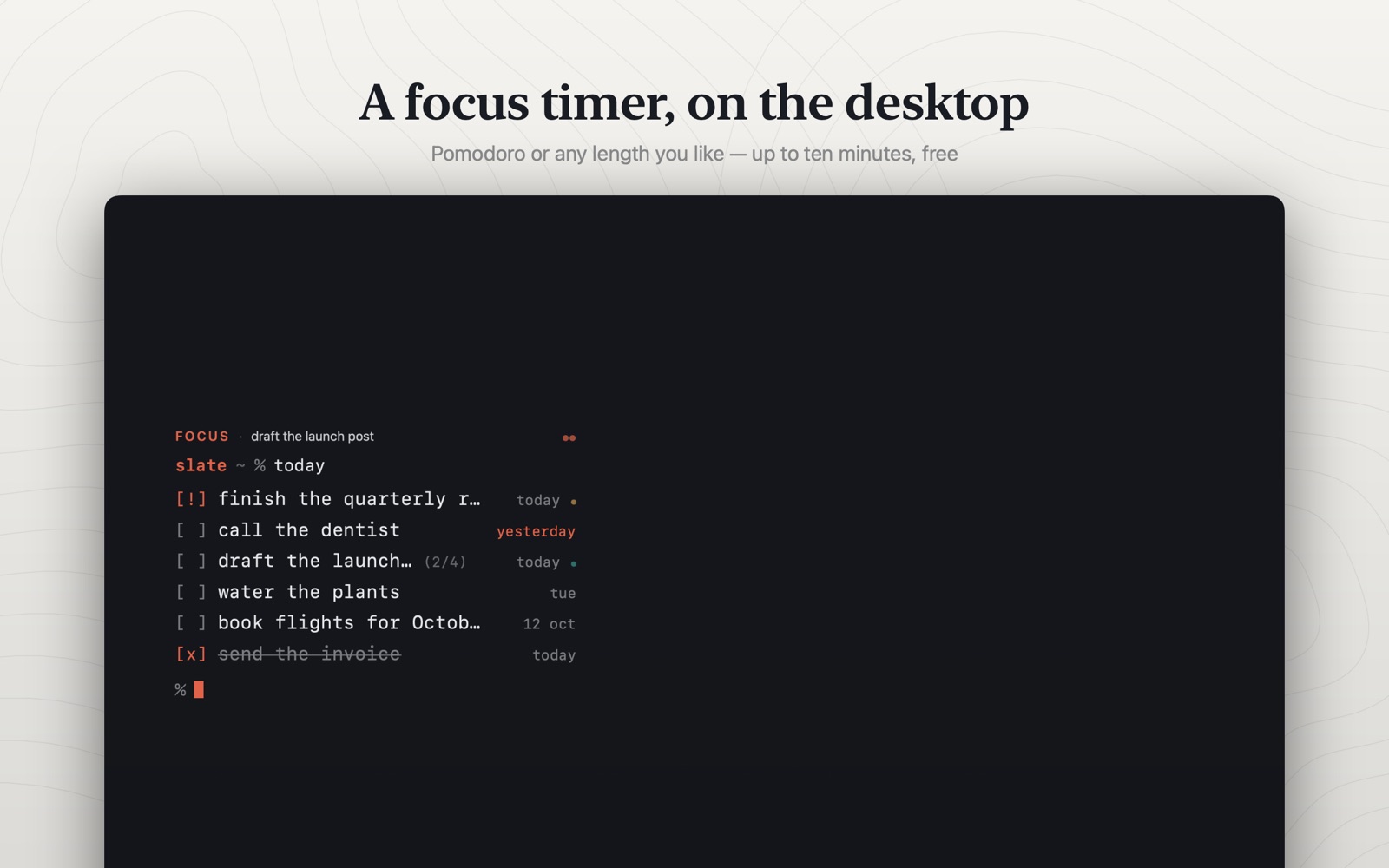
- Start the Pomodoro from the menu bar25 and 5, with a longer break every fourth. No separate timer app, no ceremony.
What it does
Tasks render onto the desktop itself. Tick one off and the wallpaper redraws.
Type “pay rent friday 5pm #home”, Slate parses it live as you write.
The Apple Reminders mirror puts Siri capture on your desktop, and ticking off syncs back.
Editorial, Ledger, Poster, Terminal, Timeline, Receipt, Card. Times nine placements.
25/5 by default, a long break every fourth. Started from the menu bar.
Lists, subtasks, repeats, notes, pinning, search, undo/redo. Mouse-first throughout.
Screenshots
Recent releases
Full Slate changelog →More from Ziyarex
 OreomacOS
Live activities and widgets in your Mac's notch.
Now playing, timers and a file tray. Living in the notch you already have.
Get app
 ClickkmacOS
Mechanical keyboard sounds for every keystroke.
Every keystroke sounds like a real switch. Nothing you type is ever read.
Get app
 ueueiOS
Save any link. Actually get to it.
Every “watch later” in one calm queue: phone, Mac and browser.
Get app